
A little buddy.
For your
everyday.
Food, water, and all the little wins.
Meet Soma, the nutrition tracker for adults 18 and older that you can talk to.
No account to make. Just a day to live.

01 / LESS EFFORT
A whole life.
Three ways to log it.
Lunch on the go? Hands full? Just pick the way that fits. Soma keeps the little details together.
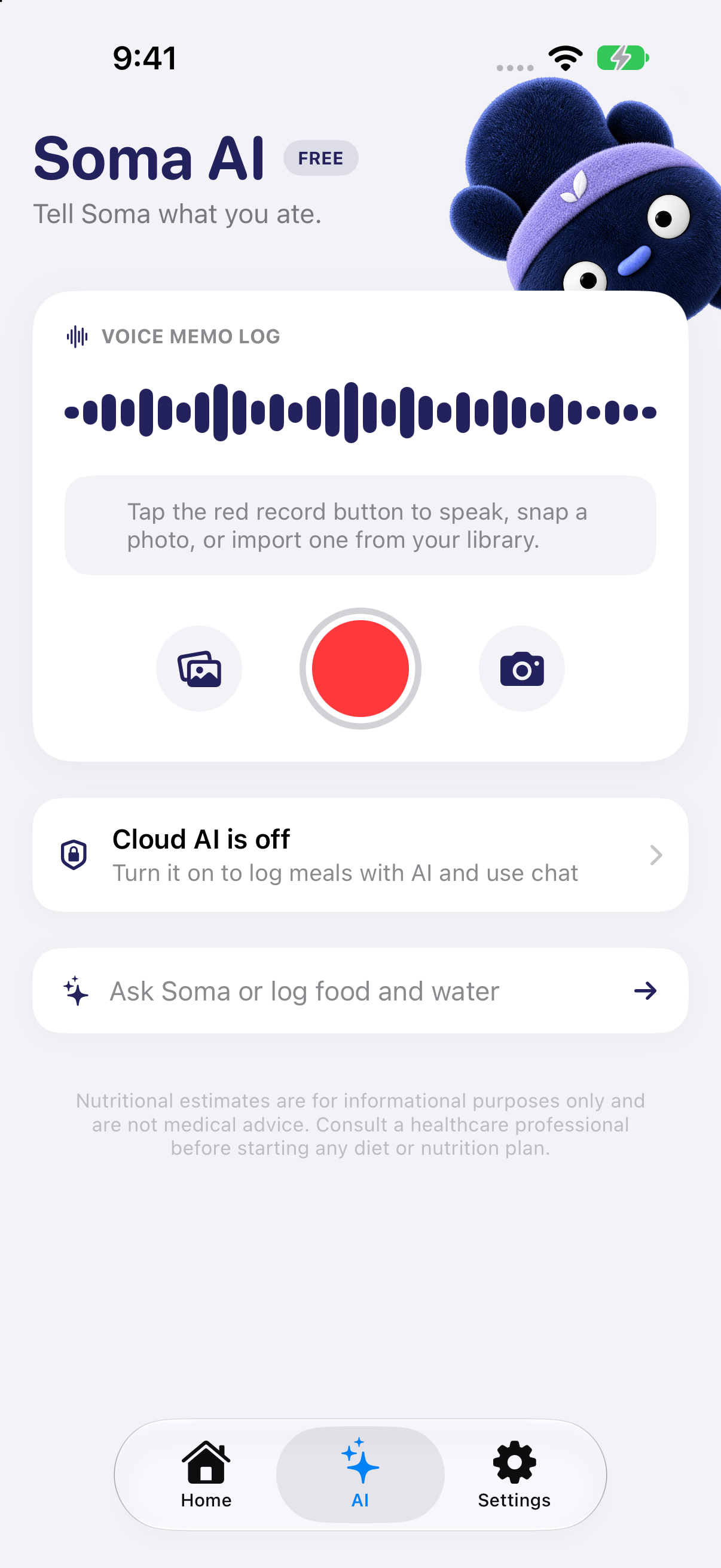
Say it or snap it.
Tell Soma what you ate, take a photo, or choose one from your library. Valid voice and photo estimates save to your day automatically and can be edited in History or the AI journal.
AI logging uses a scan. Cloud analysis needs your permission.

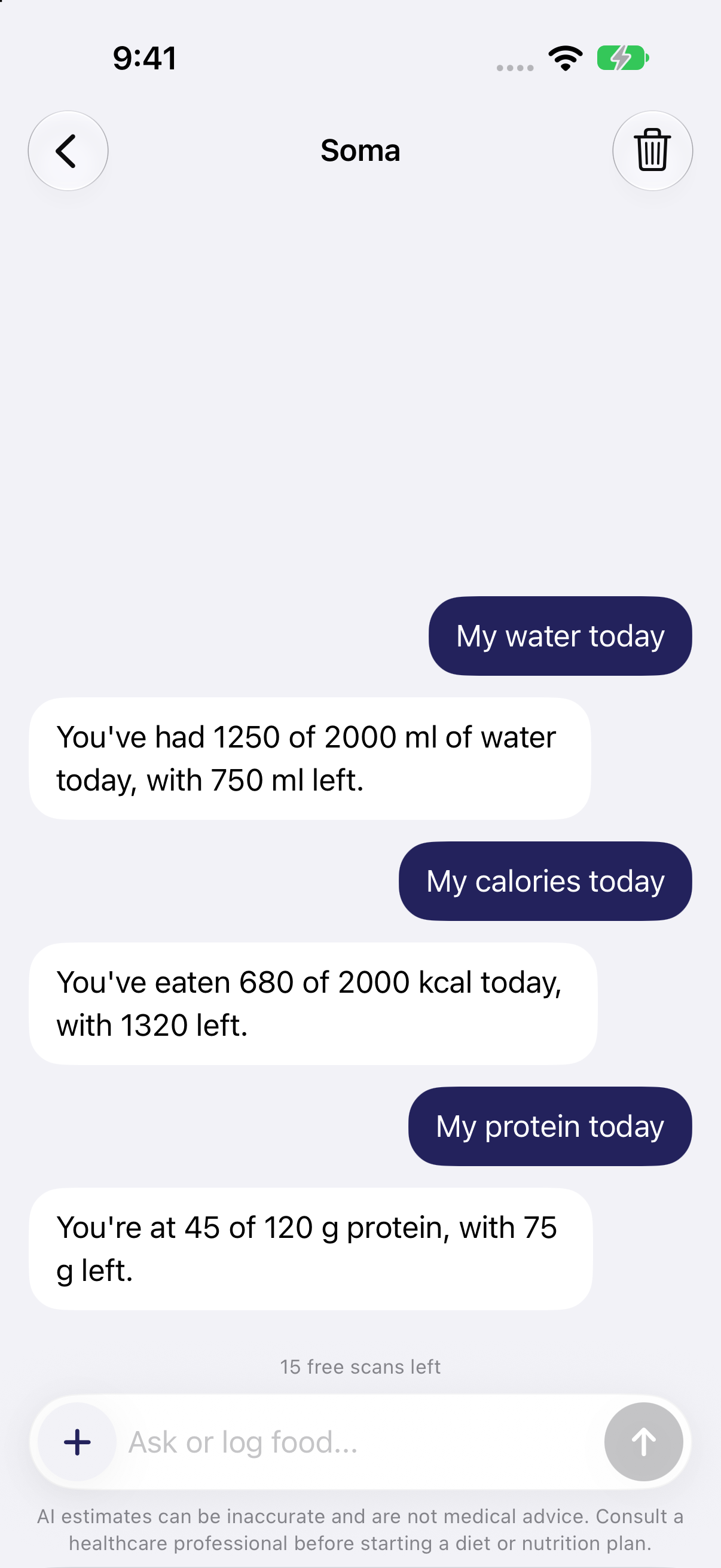
A little back and forth.
Log a meal in your own words, or ask how your day is going. Questions get answers. Meal logs get saved.
Local daily progress answers are free. Cloud chat needs permission.
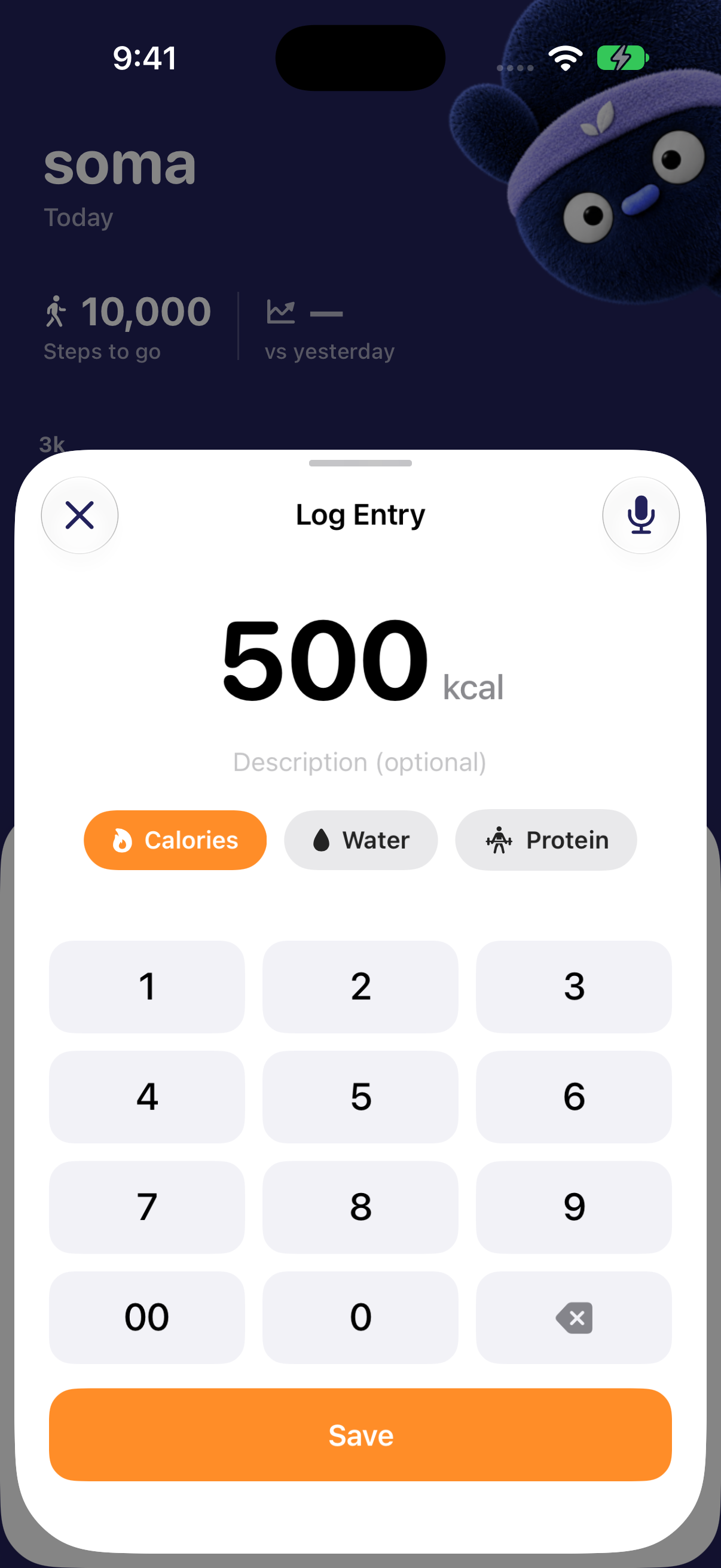
You know the numbers.
Add food, protein or water by hand. A familiar favourite, a label you can read, or just a quick glass of water.
Manual logging works offline and never uses an AI scan.
02 / THE BIG PICTURE
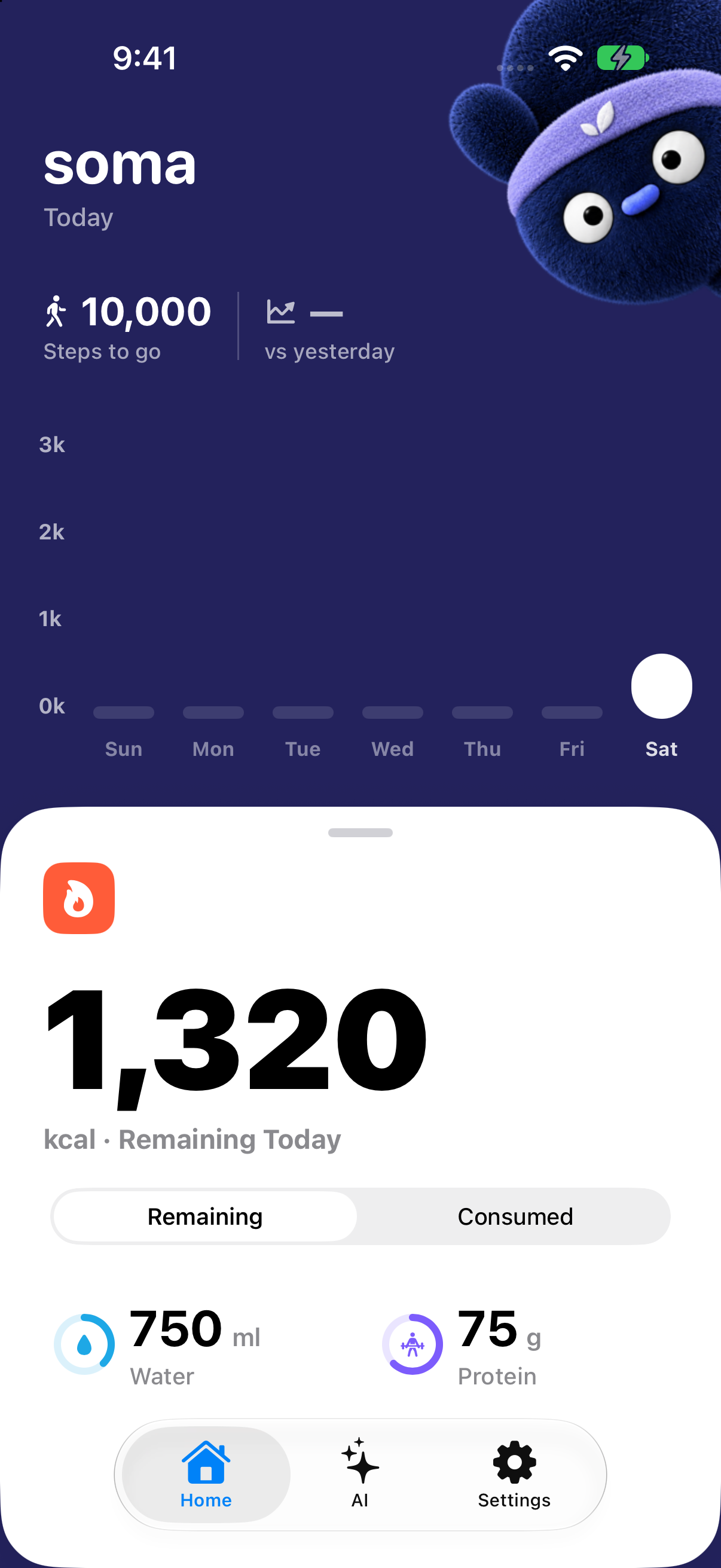
Your day.
All together.
Calories, protein, water and steps. A quick glance at what you’ve logged and how your week is going.
- 01A place for every little win.
Your meals, a glass of water, that afternoon walk.
- 02Look back. Keep going.
Search your history, edit an entry, or browse your meal journal.
- 03Plays nicely with Apple Health.
Read steps and write nutrition and water when you give permission.
03 / YOUR SPACE
Good company.
Personal space.
Your profile and journal live on your iPhone. No account, no social feed, no ads.
Cloud AI is your choice. With permission, selected notes, photos, voice and chat go through Cloudflare Workers to Google’s Gemini API for nutrition estimates and answers. Chat can also share saved meal history, goals, optional profile details and Health-derived steps or imported measurements. Google’s paid API terms and retention apply. Manual logging works without cloud AI.
The full privacy storyA FEW GOOD QUESTIONS
Curious?
Good.
We like a straight answer, too.
Do I need an account?
No. Your profile, goals and logs are stored on your iPhone. There’s no Soma account or journal sync service.
What’s included for free?
Manual logging, Home water controls, Siri water and local answers about your saved day stay free. You also get 15 one-time AI scans. After those are used, AI voice, photo and chat logging need Soma Pro.
Can I use Soma without cloud AI?
Yes. Manual logging works offline. Supported on-device features and local daily answers remain available when you decline cloud sharing. Requests to Google Gemini through Cloudflare need separate cloud permission; allowing Apple Health alone does not grant it.
Does Google keep my AI requests?
Soma uses Google’s Gemini API with billing enabled. Under its Paid Services terms, prompts and responses are not used to improve Google products. Google documents 55-day abuse-monitoring retention and possible review of flagged content. App Attest security records have separate retention. See the AI disclosure and retention details.
How accurate are the estimates?
AI nutrition estimates can be wrong. You can review and edit entries in your history. Estimates are a guide and are not medical advice.
Can I export or delete my data?
Yes. Settings includes Export Data (.csv) and Reset All Data. Data choices explains what a reset removes and how to manage permissions.